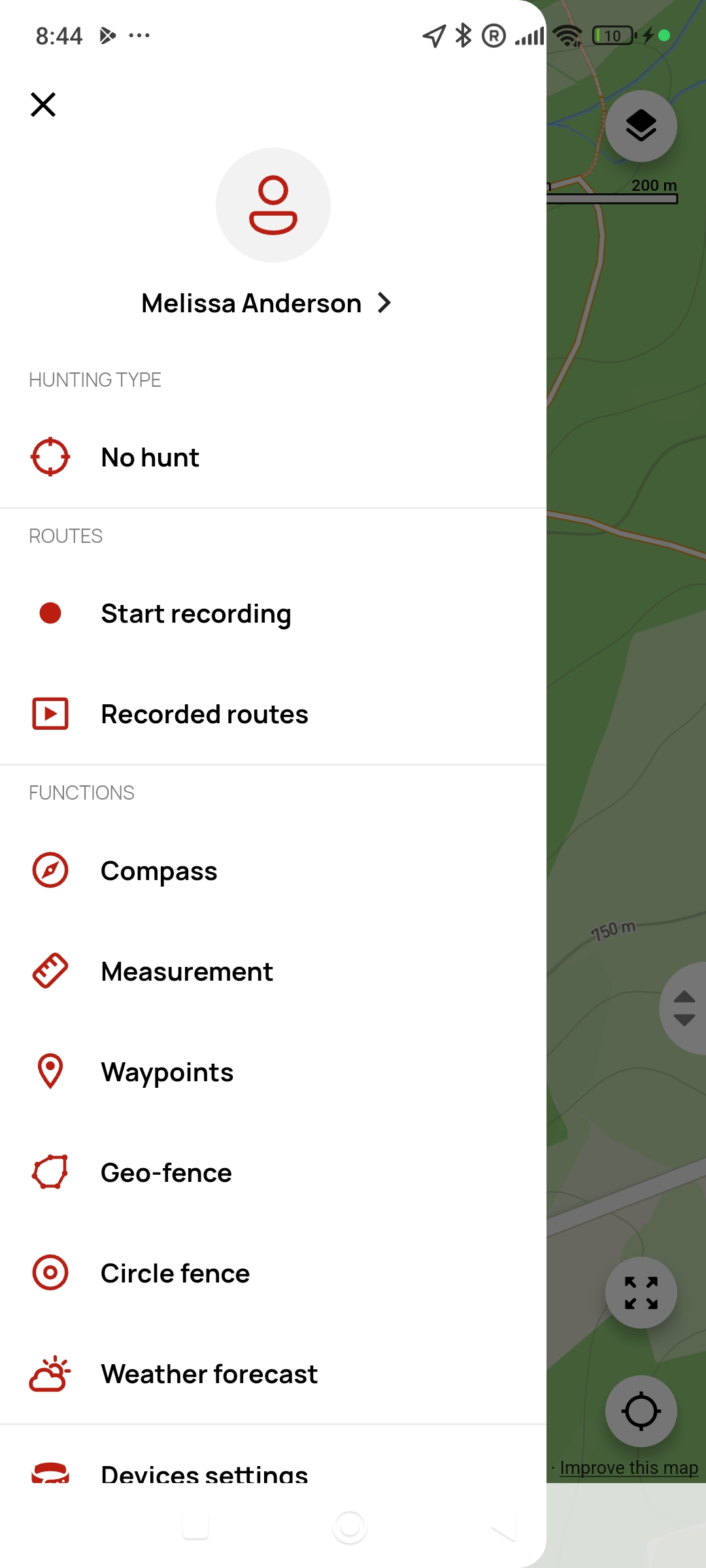
Menu
The menu serves as the main hub for all important features and settings. Each section is clearly organized so you can always quickly find what you need.
User
- Create an account – after entering your registration details, you will receive an email with a link to confirm your registration. If you cannot find it in your inbox, check your Spam folder.
- Log in – use your email address and password to log in. If you forget your password, click “Forgot your password?”. You will receive an email with instructions for setting a new password.
- Features available only when logged in:
- Edit user data – click your name to change your first name, last name or password, or delete your account.
Hunting mode
There are 3 options:
- Boar hunting – notification for boar hunting is activated for all collars
- Bird hunting – notification for standing/moving is activated for all collars
- No hunting – each collar will only have the notifications you set in the Notifications section
tip
If you have boar or bird hunting mode active but do not want the corresponding notification for a particular collar, you can disable it at any time in the Notifications section.
Tracks
- Used to control route recording. You can start, pause, or resume recording.
- Recorded tracks – here you can see which tracks are saved in the app and which are in the controller.
Functions
Log out
- Clicking the “Log out” button logs you out of the app. Features that require you to be logged in will then be unavailable until you log in again.